Classroom Management / Communication:

|
Classdojo (free)
Classdojo is an all in 1 classroom management. It allows you to reward points to promote positive behaviors. Classdojo also allows you to randomly select students to answer questions. I recommend giving value to the points by using a classroom store or other incentives. |

|
Seesaw Learning Journal (free)
Seesaw is a student driven digital portfolio. This tool allows students to document their work for the entire year. It is a great way to show progress throughout the year. I highly recommend this tool for RTI documentation as well. Students take a picture of their work and it saves it into a cloud for parents to see. (Great for parent conferences) |
|
30/30 Timer (free)
This timer is an amazing tool! It helps keep your pacing on track. I have created center rotations using this app. You create different tasks and add a time to it. When one timer expires, it will go to the next task automatically with a new countdown timer.
|
|
Edmodo
Edmodo takes the ideas of a social network like facebook and turns it into a classroom management system. Edmodo allows students to collaborate, take quizes, interactive games, and more. A tool such as this is a must have for any 1:1 initiative. It can truly get your classroom a step closer to paperless. |

|
Remind
A way to communicate with parents via mass text message. You can also text individual parents. This is a great way to text parents without having to give them your cell phone number. |
|
TooNoisy (free version or $3.99)
Uses the microphone from the iPad to measure the noise level of the classroom. If the students are too loud, the alarm will sound. You can adjust the sensitivity and monitors how long it is on without being set off. It is a great way for kids to be aware of their volume. |
Digital Storytelling:
|
Puppet Pals 2 (School Edition $5.99)
Create animated cartoons. |

|
Book Creator ($5.99)
Create your own books. Very kid friendly! I've created books for my science standards and then recorded myself reading it. This is a good way to accommodate your students that need to be read to. Students enjoy writing when they can create an end product such as this. |

|
ShadowPuppet
A simple video maker for the classroom. Combine photos and video clips with your voice and favorite songs. Make how-to videos using images for each step. |
|
iMovie
A simple video editor. I like to use the built in movie trailer templates to have students create a summary.
|
|
Toontastic
Very similar to the Puppet Pals 2 app. It allows you to create animated cartoons using a built in storyboard. |
|
iMotion
Create stop motion videos. This is a student favorite. They would rather do this than recess. It is like creating a digital flipbook. I recommend clay or construction paper as the props. You will be surprised what your students come up with. |
Assessments / Instruction

|
Socrative
Allows you to assess the students on the spot. Allows for multiselect, constructed response, etc. Automatically grades the papers and allows you to print them off or e-mail for parents. |
|
Plickers
No technology in your class? No problem! This tool allows teachers to collect real-time formative assessment data without the need for student devices. |
|
Kahoot!
A free game-based learning platform that makes it fun to learn. I highly recommend adding fun questions within the normal curriculum questions. For example, I put a picture of a cartoon character and ask "Who is this character?" The kids really enjoy this program, but it has to be used correctly. |

|
Quizalize
This program is similar to Kahoot! whereas it is a free game-based learning platform. I actually think the game mode is more fun on Quizalize. Variety is key in the classroom, so I would use both Kahoot and Quizalize interchangeably. |
|
Nearpod
An interactive learning tool for teachers to engage students with interactive lessons. It allows you to send worksheets, videos, quizes, and presentations to all of the student devices. It also allows them to send work back to the teacher to be projected onto the board for discussion. |
Student Project Based Learning

|
Explain Everything
Allows students to create interactive screencastings to teach concepts they have learned. |
|
Keynote
Students create presentations on their iPads. It is very simple to use. I was able to have my kids create presentations on the first week of school with this tool. |
|
Green Screen ($2.99)
Easy to make green screen videos using your iPad. You can have kids do documentaries from different time periods or even different planets. You could have a symbiotic relationship in the background while the student explains what is going on like a weatherman. |

|
Weebly
Students can create their own websites/blogs using a very simple to use drag and drop website creator. |
|
CloudArt
Create word clouds on your iPad. Have the students create word clouds for the vocabulary in the chapter. |
Math Tools
|
Motion Math: Fractions
Students love tilting the iPad back and forth trying to make the ball hit the number line in the right spot. This is great for common core because of the use of the number line. |
|
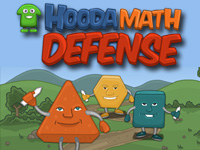
Math Defense
Kids must answer fraction questions to unlock new towers to defend against the different polygon attackers. |
|
Targeting Math
Tons of activities for students to do. My kids love the four player multiplication versus mode. |
|
Marble Math
Roll a marble through a maze while answering fluency questions. |
|
Grand Prix Multiplication
A four player multiplication game for kids. The faster the students are at multiplication facts, the quicker the car will go. Students can race each other, or race against their personal scores. |
|
Math Battle
This is the game that all my students picked as the most fun. You fight monsters by answering multiplication facts. You can upgrade your weapons and armor as you progress through the campaign. |
|
Minecraft
This is easily the most popular game in the world. Every kid I know enjoys this game. It is easy to bring geometry into this game. It can also be used as a way to recreate events in books. |
